Scout
Find it, wherever you put it.
Download for Mac — free Version 1.0.9 · macOS 15 or later · Apple silicon and Intel · 5.6 MB · notarised by AppleA search panel that replaces ⌘-Space. No account, no ads, no tracking, and no charge.
One search, eight answers
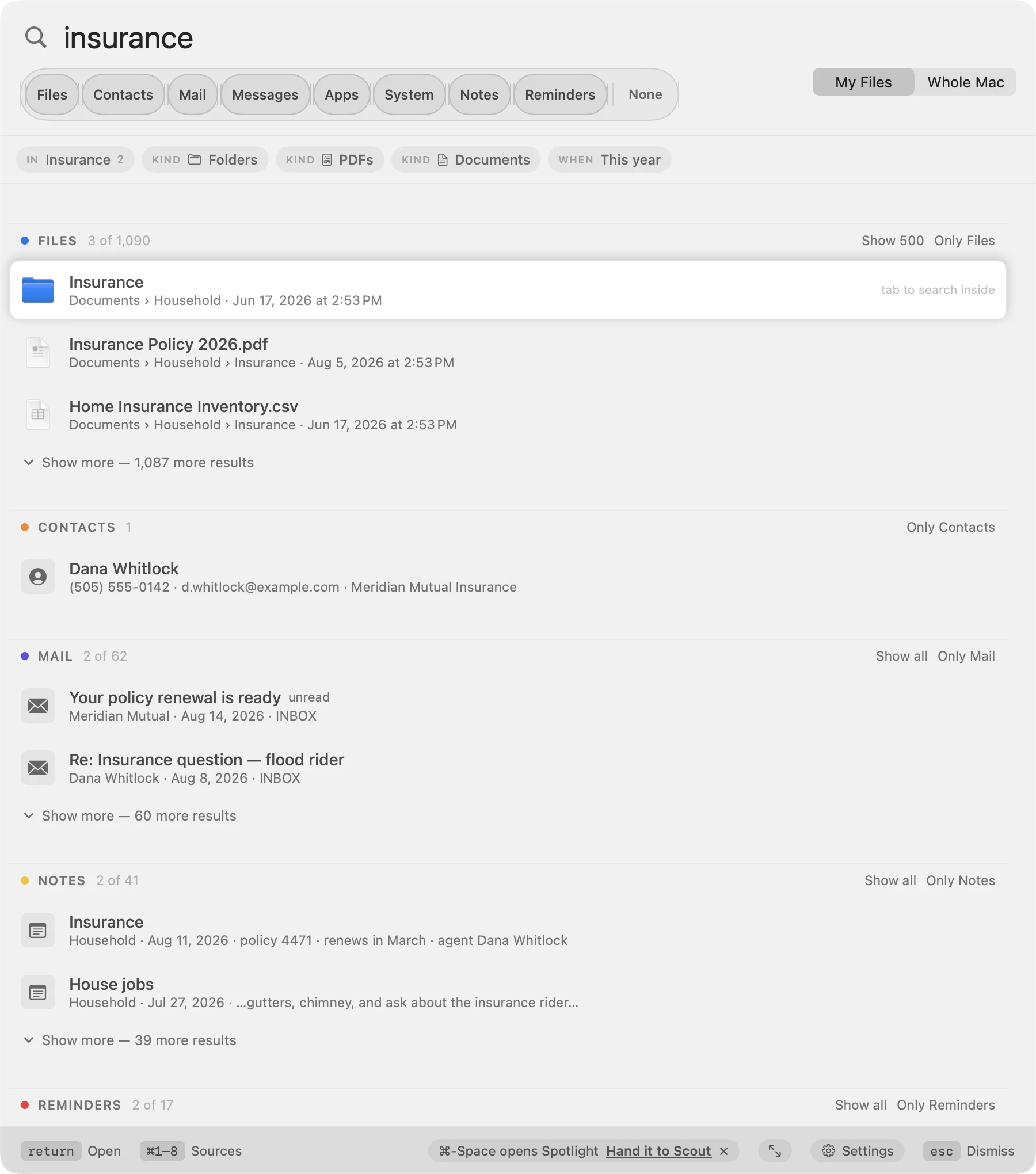
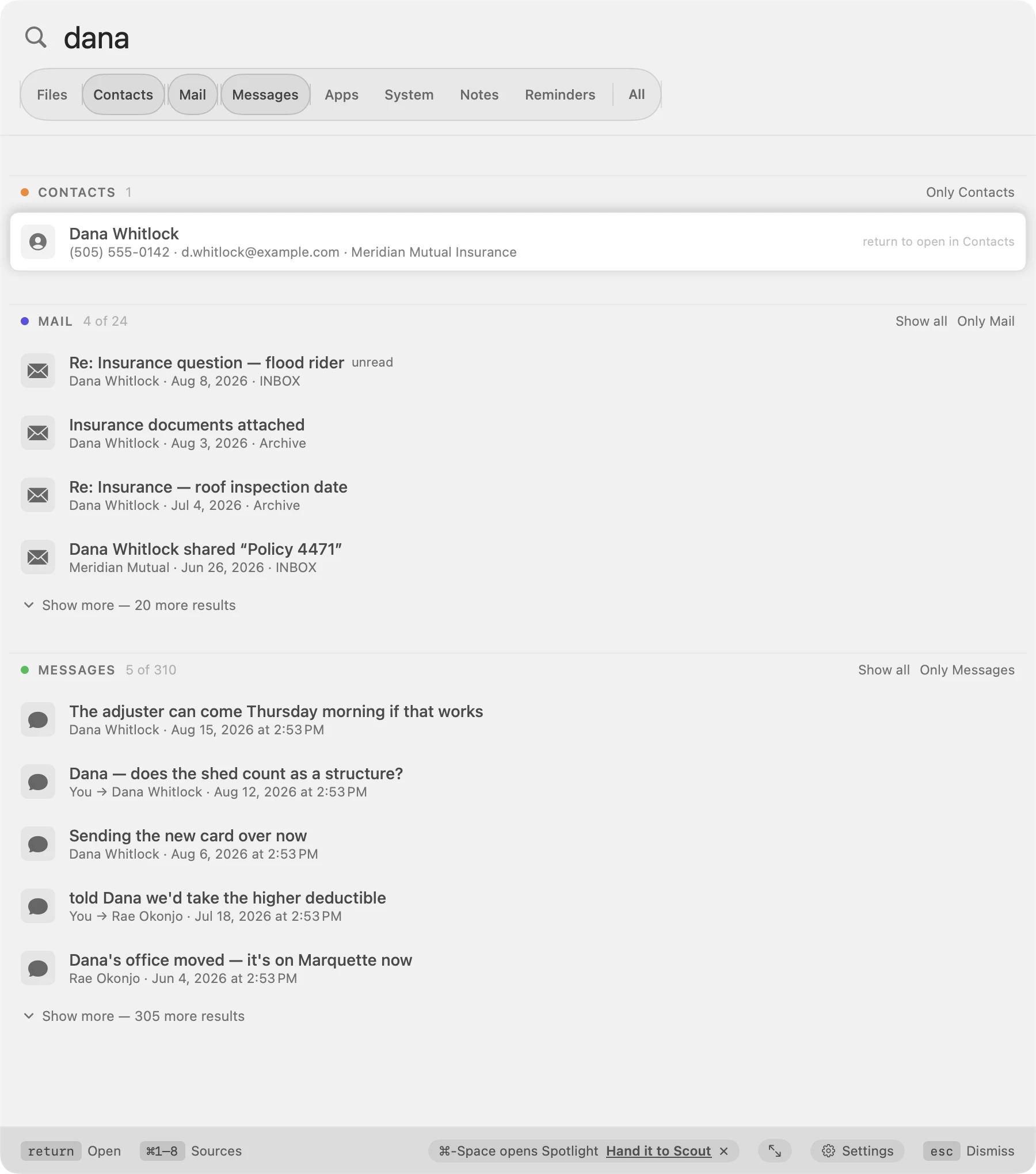
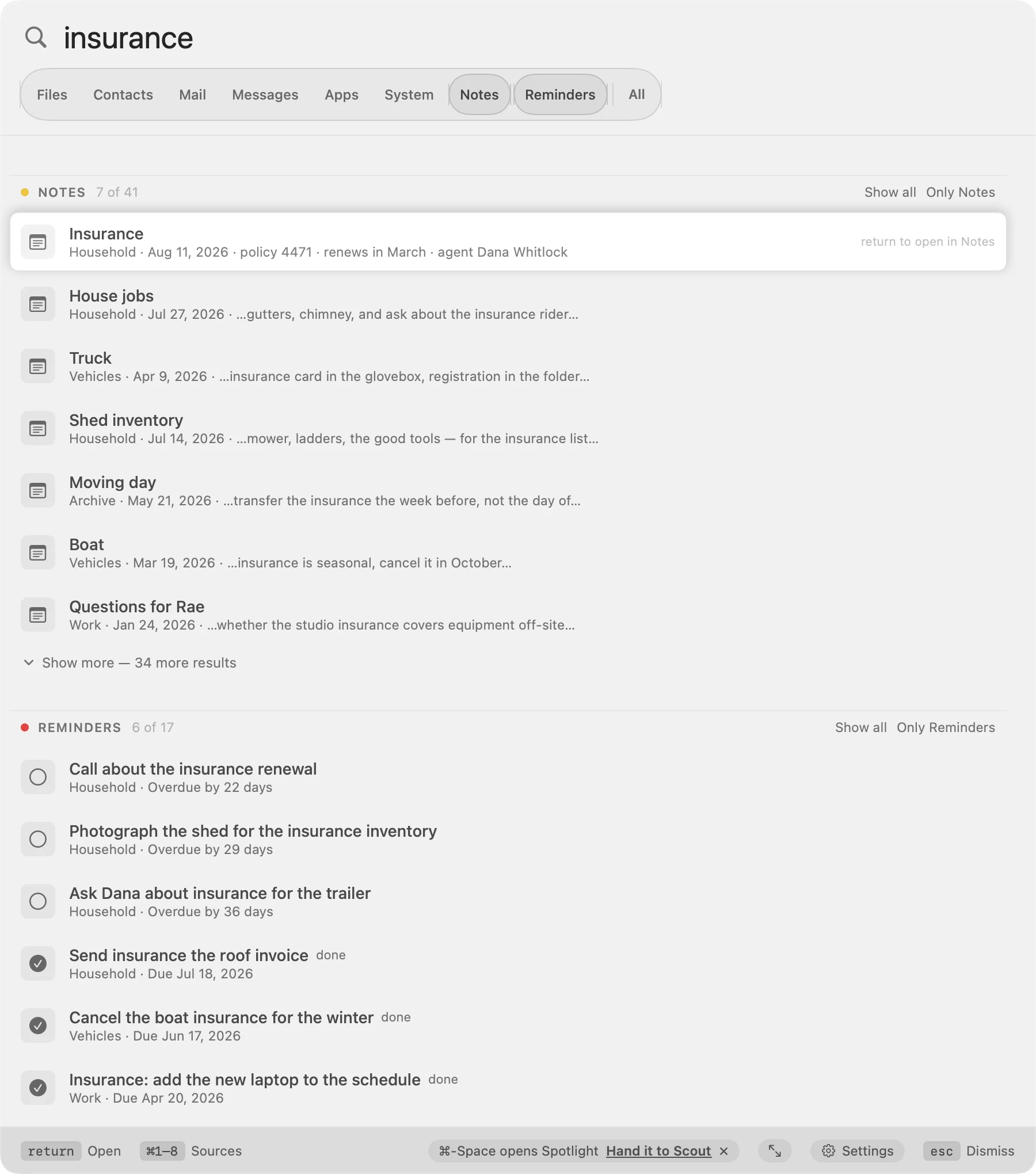
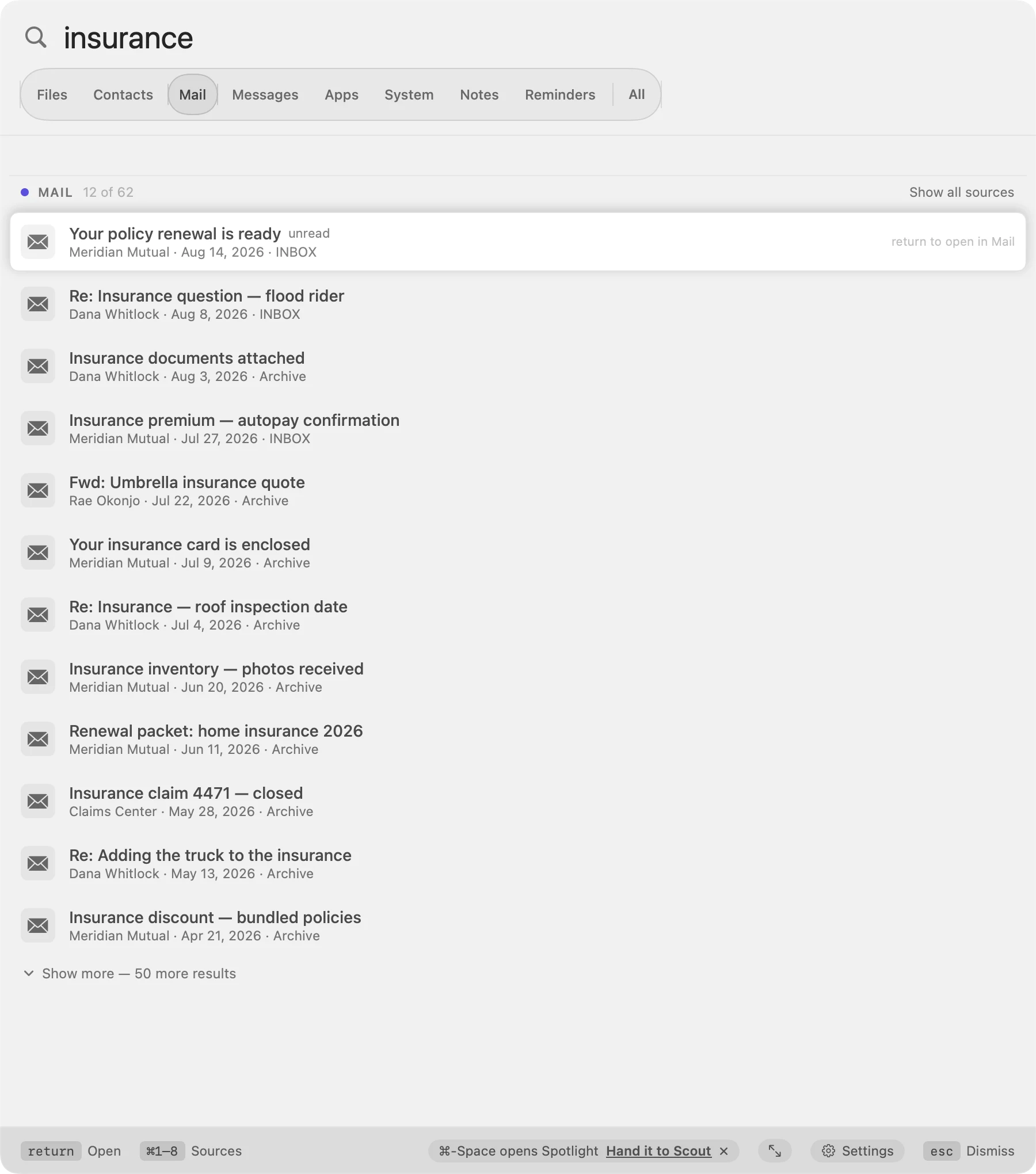
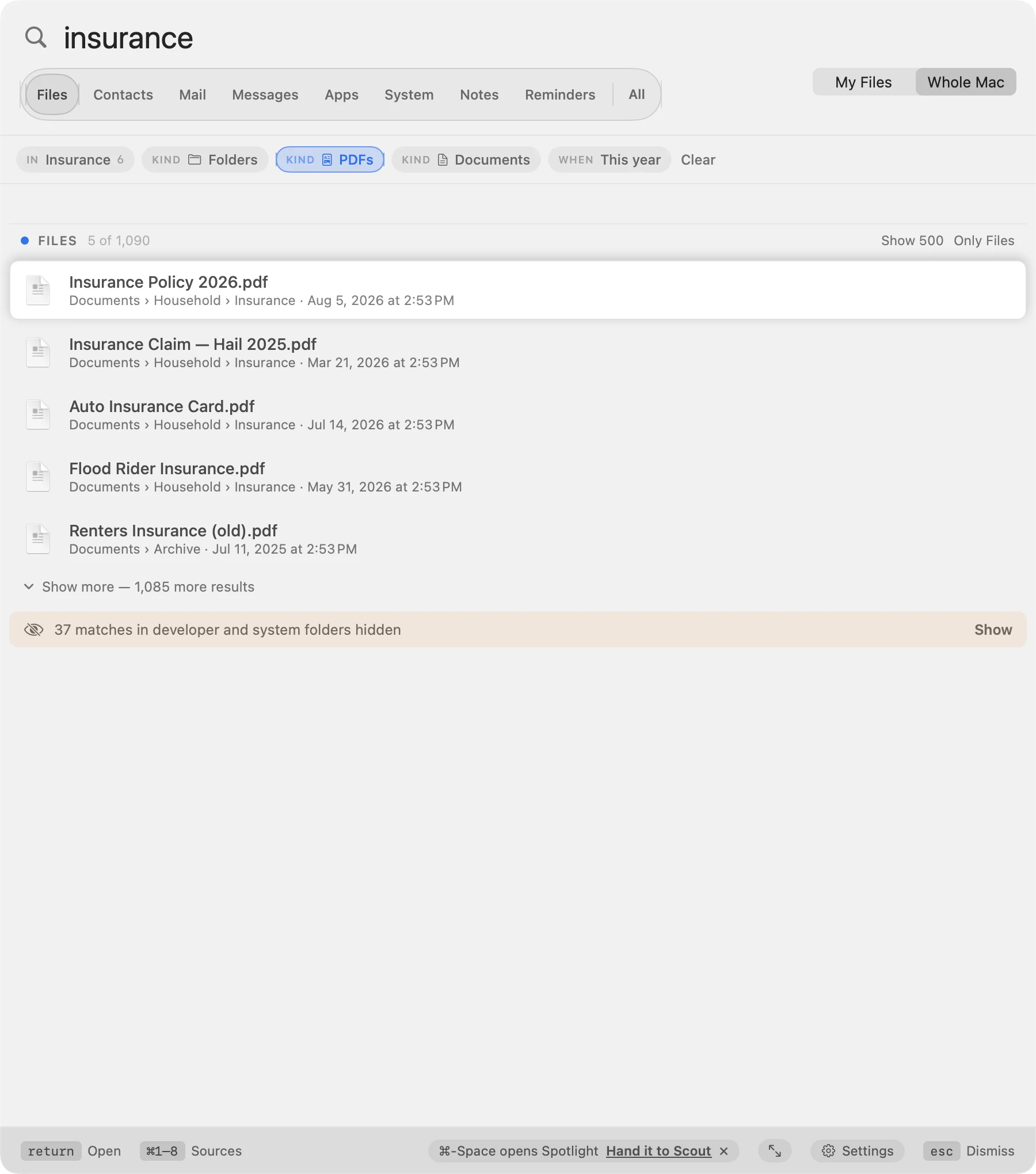
Five states of the same panel — click through them. Nothing here is real: the people, the mail, the notes and the files are invented, so that showing you the app costs nobody their privacy.
Eight places, eight answers
Spotlight hands you one blended list and hopes. Scout keeps every source in its own labelled section, so a search for a person's name shows you the person, their mail, and their messages — separately, and clearly.
Files
Your Documents, iCloud Drive, Desktop and Downloads by default. The whole Mac is one click away.
Contacts
By name, company, an address, or the last four digits of a phone number.
Subject, sender, and what the messages actually say — which macOS does not offer any other app.
Messages
Your whole texting history, including the messages macOS never indexed.
Apps
Ordered by what you actually launch. Type a name exactly and Return still opens it.
System settings
Found by scanning your Mac, so "full disk access" lands on Privacy & Security.
Notes
The words inside your notes, not just their titles. Nothing else on a Mac can do this.
Reminders
By what it says, what list it is in, or the note attached. Outstanding ones first.
What Scout does that Spotlight doesn't
Spotlight is fast and it is everywhere, and for launching an app it is fine. This is the list of things it will not do, each of which is why Scout exists.
You choose the sources
Eight switches. Turn Messages off for a week, turn it back on. Spotlight decides for you and does not show its working.
Sections that never blend
One ranked list where a contact, a setting and a PDF compete is how you lose the PDF. Scout keeps each source in its own band.
It tells you how many
“4 of 1,090” on every section. Spotlight never says how much it found, so you cannot tell a good search from one that gave up.
Filters that actually hold
Narrow to PDFs and you get PDFs. Nothing that failed a filter comes back further down with a lower score — the single habit that makes Spotlight feel like an argument.
Nothing hidden in silence
Developer and system folders are left out, the number left out is shown, and one click shows them. A search that quietly drops things is worse than one that finds nothing.
Open one source right out
Every heading has “Show only Mail” — that source alone, hundreds of results at a time. Escape puts the others back.
Scope you control
My Files or the whole Mac, one click or ⌘L. Not a guess about what you probably meant.
Search inside a folder
Press Tab on a folder and the next search covers only that folder.
It learns what you pick
Choose the same file twice for the same words and it leads from then on.
Duplicates collapse
Four copies of the same file are one row that says “4 copies”, not four rows you have to read.
Contacts matched properly
Any field on the card — company, an address, the last four digits of a number. Apple's own name matching returns people who merely sound like the one you typed, and misses ones who don't.
Reminders by what they say
Including the note attached. What is still outstanding sorts above what is done, and what is done stays findable.
Arrange it how you think
Drag the sources into your own order. The result sections follow, and so do ⌘1–8.
Nothing leaves your Mac
Scout makes no network requests at all. Spotlight's suggestions send what you are typing to Apple unless you go and turn them off.
The keys
⌥-Space opens Scout from anywhere, from the first launch. ⌘-Space stays Spotlight's until you untick it yourself in Keyboard Shortcuts — Scout refuses to claim a shortcut another app still holds, because macOS would fire both and open two panels at once.
⌘1–8
Turn a source on or off. ⌘0 turns them all on, then all off.
⌥↑ ⌥↓
Jump from one section to the next.
Tab
Search inside the folder you have selected.
⌘Return
Reveal in the Finder instead of opening.
What it will ask for, and why
Mail, Messages and Notes keep their contents in places macOS locks away from every app but their own. Scout explains each request where you meet it, and every source works or fails on its own — refuse one and the rest carry on.
Full Disk Access
For mail, messages and notes. macOS gives no way for an app to ask, so Scout sends you to the right settings pane and tells you what to click.
Contacts and Reminders
The two macOS lets an app ask about. Scout does not ask while you are typing — a prompt that appears by itself is one people dismiss without reading.
Nothing leaves your Mac
Scout makes no network requests at all. Not for search, not for updates, not for analytics. The full policy is four paragraphs and says so plainly.
Why this is a download and not an App Store app
Not a preference. Four of Apple's own rules make an app like this impossible to ship there, and each one removes something Scout is for.
Mac App Store apps must be sandboxed
App Review Guideline 2.4.5(i). It is a condition of submission, not a setting — there is no version of Scout on that store that is not sandboxed.
A sandboxed app only sees what you hand it
One file at a time, through an open panel. There is no entitlement that means “search this Mac”, because that is precisely what the sandbox exists to prevent.
Full Disk Access cannot be granted to a sandboxed app
macOS will not apply it. Mail, Messages and Notes all live behind that door, so those three sources cannot exist inside the sandbox at all.
Another app's container is off limits
Notes keeps its database in a group container belonging to Apple. A sandboxed app cannot join a group it does not own, and Apple does not add third parties to its own.
Public APIs only — Guideline 2.5.1
There is no public API for reading what a note says or what a message contains. Apple has never published one, which is exactly why nothing else on your Mac can search them.
So Scout takes Apple's other route
Signed with a Developer ID certificate and sent to Apple to be notarised: they scan every build for malware and issue a ticket, and your Mac checks that ticket before it opens the app. It is the sanctioned way to ship a Mac app that the sandbox cannot hold.
Free is a choice, not a consequence — nothing stops an app charging outside the store. Scout is free because a search box should be.
And you can read it
Scout is free software under the GNU General Public License, version 3. Every line of it is on GitHub — including the parts that read your mail, your messages and your notes, which is exactly the code you should not have to take on trust.
Check the claim yourself
The privacy page says nothing leaves your Mac. The source is how you verify that rather than believe it: there is no network code in the app at all.
Fork it, change it, pass it on
The GPL keeps it that way — anything built on Scout carries the same freedoms and the same source. The name and the icon stay ours; ship your version under your own.
Nothing but Apple's own frameworks
No third-party code to audit, and nothing to fetch before it will build. Clone it, run bin/preflight.sh, and it compiles and tests itself.